Pulau kecil di atas layar untuk musik dengan lirik berjalan, notifikasi, status asisten AI, volume per aplikasi, dan maskot mata interaktif. Menggunakan sekitar 1% CPU dan menyingkir saat kursor mendekat. A compact island at the top of your screen for music with synced lyrics, notifications, AI assistant status, and per-app volume controls. Uses about 1% CPU and tucks away when you need space. Built with Tauri 2, Rust, and Svelte 5.
Notchy mendeteksi tombol atau tab tepat di bawahnya, lalu otomatis menipis jadi garis 6px agar tidak pernah menghalangi klik. Notchy detects buttons or tabs directly underneath, instantly flattening to a 6px slim bar so clicks are never blocked.
Status Claude Code, volume per aplikasi, salin teks dari layar, peringatan hujan, dan banyak lagi. Semuanya bisa dinyalakan atau dimatikan di Settings. Claude Code status, per-app volume, copy text from the screen, rain alerts and more. Every one of them can be turned on or off in Settings.
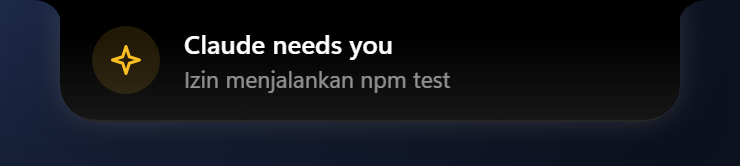
Notch menunjukkan saat Claude Code, Codex, Aider, atau skrip Anda sedang bekerja, memunculkan notifikasi saat butuh persetujuanmu, dan mengabari saat tugas selesai. Hook siap pakai tersedia di Settings → Keyboard & sistem. The notch pulses while Claude Code, Codex, Aider, or your custom scripts are working, alerts you when approval is needed, and tells you when it is finished. Copy integration hooks directly from Settings → Keyboard & system.

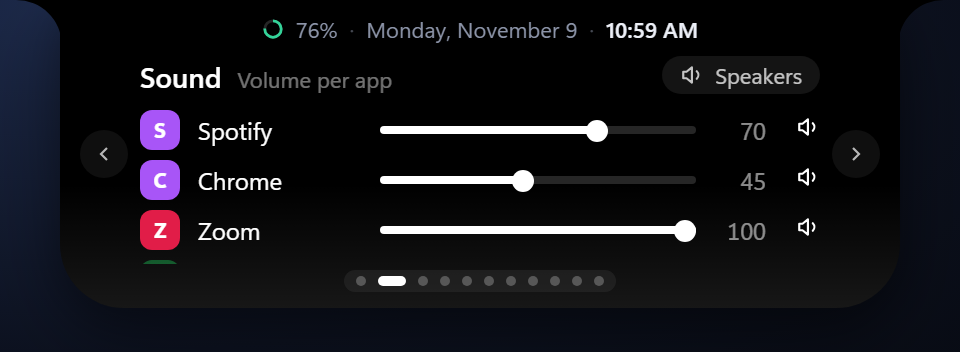
Spotify keras, Zoom pelan. Setiap aplikasi yang bersuara punya slider dan tombol bisu sendiri. Spotify loud, Zoom quiet. Every app that's playing gets its own slider and mute button.
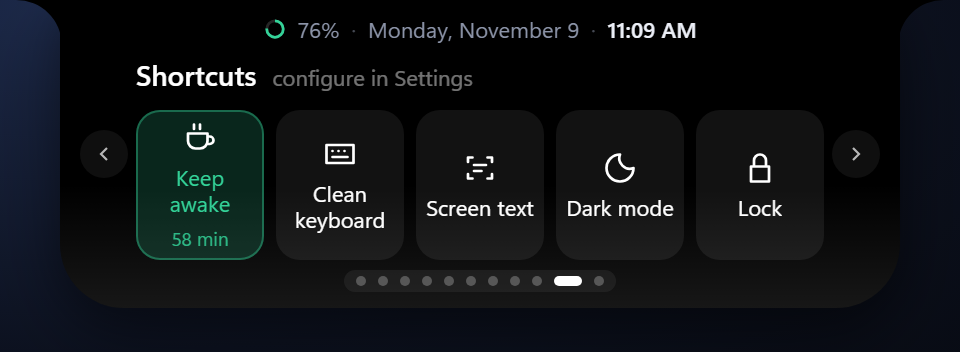
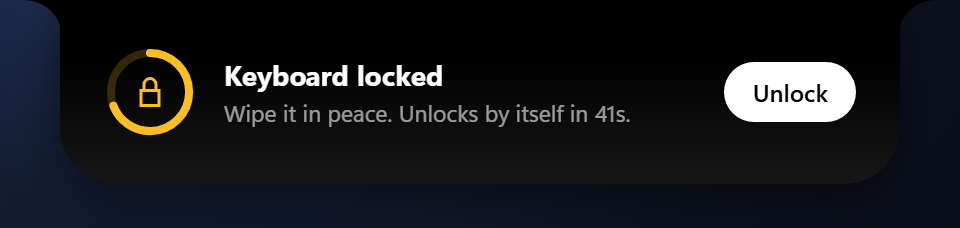
Jaga laptop tetap menyala, kunci keyboard untuk dibersihkan, salin teks dari layar (OCR bawaan Windows, offline), dan mode gelap. Keep the laptop awake, lock the keyboard to clean it, copy text from the screen (Windows' own OCR, offline), and dark mode.
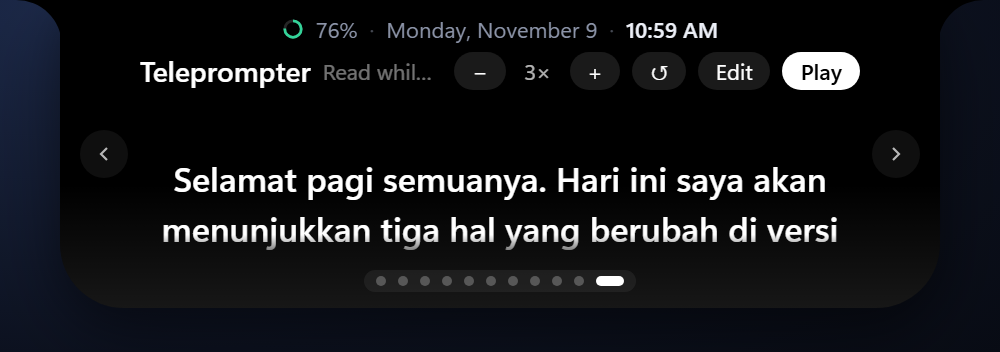
Naskahmu bergulir tepat di bawah webcam, jadi waktu presentasi atau rekam video matamu tetap ke kamera. Ada juga halaman Snippet untuk teks yang sering kamu ketik. Your script scrolls right under the webcam, so your eyes stay on the camera while you present or record. There's also a Snippets page for text you type often.
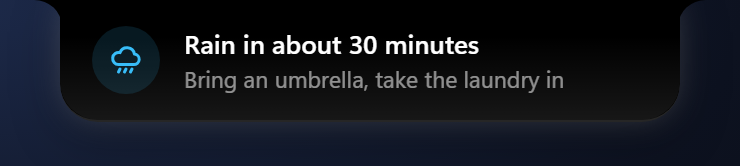
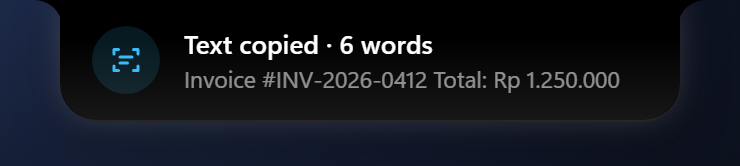
Hujan sekitar 30 menit lagi, cabut charger di 80%, istirahat mata 20-20-20, dan ringkasan notifikasi yang masuk selama kamu presentasi. Teks yang kamu salin dari layar juga muncul di sini. Ada juga jadwal sholat: pengingat 10 menit sebelumnya dan nada lembut saat waktunya tiba, dihitung offline di PC-mu (default mati). Rain in about 30 minutes, unplug the charger at 80%, a 20-20-20 eye break, and a summary of notifications that came in while you were presenting. Text you copy from the screen shows up here too. There are prayer times as well: a heads-up 10 minutes before and a soft chime when it's time, worked out offline on your PC (off by default).
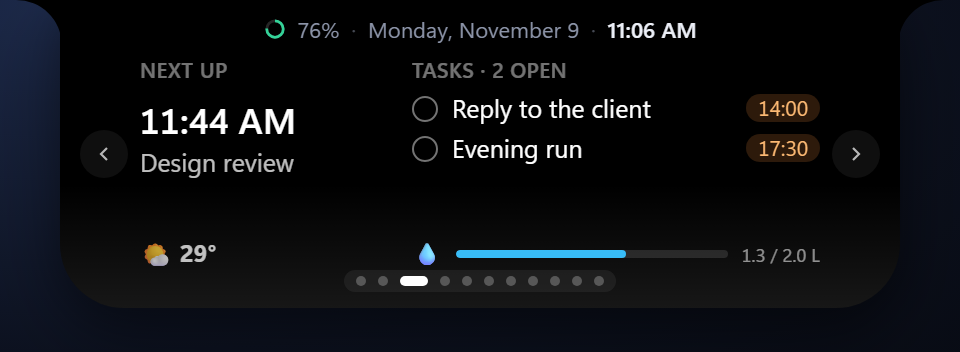
"Gajian 16 hari lagi" di halaman Hari ini, plus timer sekali ketuk 1 sampai 15 menit. "Payday in 16 days" on the Today page, plus one-tap timers from 1 to 15 minutes.
Build selesai, backup gagal, deploy beres: script apa pun bisa memunculkan pesan di notch. Hanya teks, Notchy tidak pernah menjalankan apa pun. Ada juga link notchy:// untuk aplikasi yang bisa membuka URL.
Build done, backup failed, deploy finished: any script can put a message in the notch. Text only, Notchy never runs anything. There's also a notchy:// link for apps that open URLs.
Semua modul dan halaman bisa diatur atau dimatikan di menu Settings sesuai kebutuhanmu. Every page can be turned on or off in Settings to match your exact workflow.
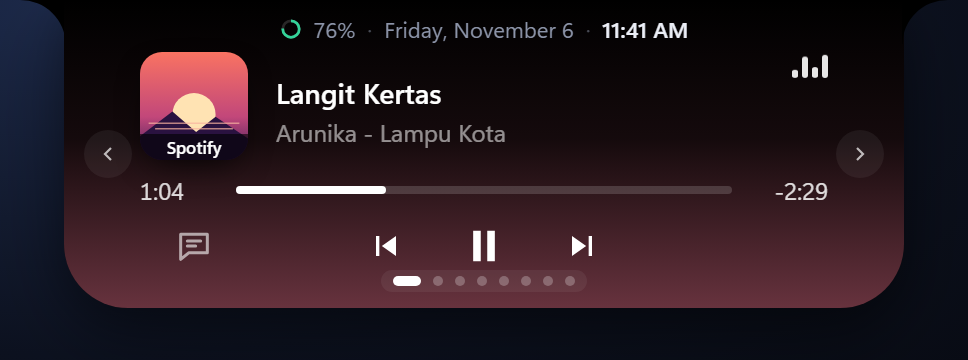
Terhubung ke Media Transport Windows. Menampilkan cover album, animasi equalizer, dan lirik sinkron baris demi baris dari database komunitas LRCLIB. Hooks into Windows Media Transport. Displays album art, live equalizer, and line-by-line synchronized lyrics powered by LRCLIB.
Lihat kecepatan unduh dan unggah secara real-time. Otomatis berhenti saat idle untuk menghemat CPU. Real-time download and upload speeds. Automatically sleeps during idle periods to save battery.
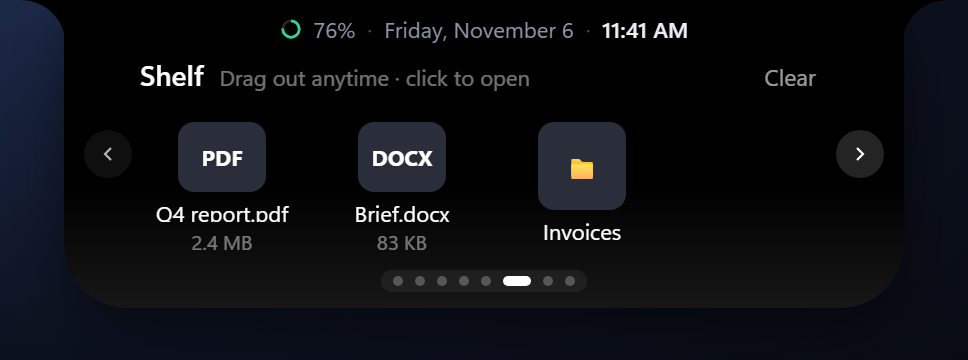
Drop file ke notch untuk menyimpannya sejenak saat berpindah jendela aplikasi. Dilengkapi riwayat clipboard teks dan gambar. Drop files into the notch to temporarily hold them while switching apps. Includes rich clipboard history.
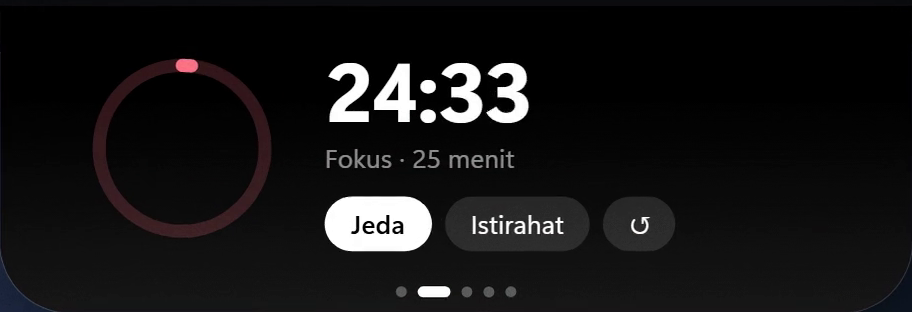
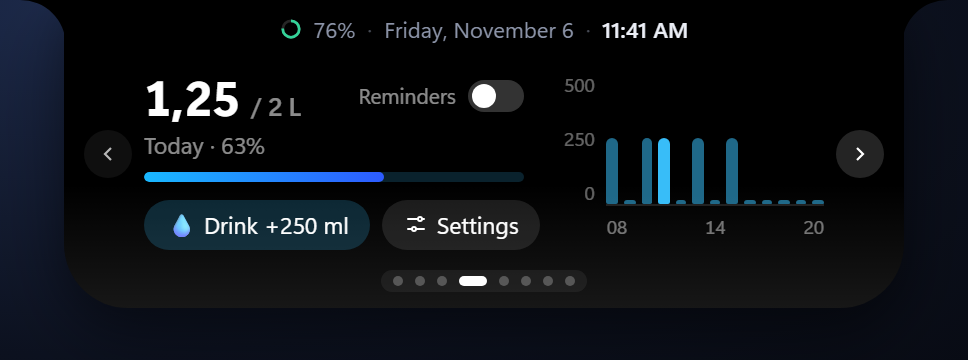
Pengingat ramah untuk minum air teratur dan sesi fokus Pomodoro tanpa perlu mengunduh aplikasi terpisah. Gentle reminders to stay hydrated and structured Pomodoro focus blocks without noisy separate apps.
Sesuaikan karakter Notchy dengan kepribadianmu: Classic Minimalist, Anime Sparkle ✨, Retro 8-Bit Pixel 👾, Cat Eyes 🐱, dan Cartoon Pupil 👀. Dilengkapi pupil yang melirik mandiri secara parallax, membesar saat kursor mendekat, mode mengecas simetris 3 kolom, head-bop mengikuti irama musik, serta gesture geli & kaget! Personalize Notchy to match your desktop aesthetic: Classic Minimalist, Anime Sparkle ✨, Retro 8-Bit Pixel 👾, Cat Eyes 🐱, and Cartoon Pupil 👀. Features dual-layer parallax gaze tracking, curiosity dilation, energized 3-column charging layout, music head-bop, and playful tickle/shocked reactions!
Notchy dapat menangani tombol volume keyboard untuk menampilkan indikator mini di notch, menggantikan kotak overlay standar Windows. Notchy can intercept volume keys to display a compact volume peek, replacing Windows 11's default overlay.
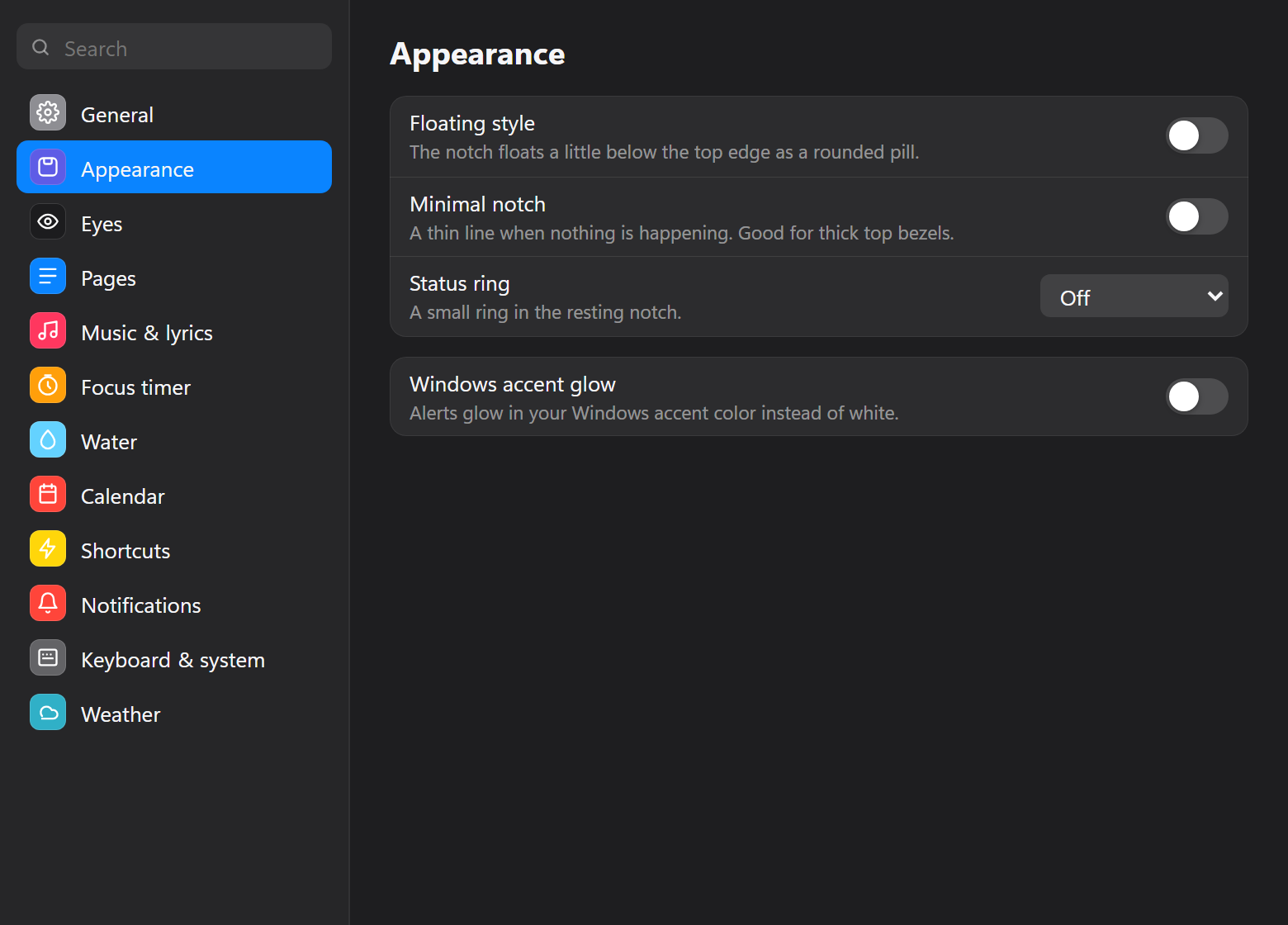
Notchy dibangun dengan Win32 hook bawaan dan Tauri 2 agar konsumsi memori dan CPU tetap minimal. Notchy uses native Win32 event hooks and Tauri 2 to run with minimal memory and CPU usage.
Event-driven tanpa polling loop terus-menerus. Laptop tetap dingin dan baterai awet. Event-driven without continuous polling loops. Keeps your laptop cool and quiet.
Area transparan tidak pernah menghalangi klik ke aplikasi lain berkat WS_EX_TRANSPARENT.
Transparent areas never obstruct clicks to apps underneath via WS_EX_TRANSPARENT.
Semua pengaturan dan to-do tersimpan lokal di laptop (%APPDATA%\Notchy). Tanpa telemetri.
Settings and data persist purely on your machine (%APPDATA%\Notchy). Zero analytics.
Tersedia file .zip tanpa install untuk PC kantor atau kampus yang membatasi hak admin. Portable .zip package available for locked enterprise laptops without admin privileges.
Pilih antara installer otomatis (auto-update) atau paket portable tanpa install. Choose between self-updating installer or zero-install portable zip.
Pemasangan otomatis per-user tanpa butuh admin. Notchy akan update sendiri ketika ada fitur baru. Standard per-user installer. Updates itself automatically when new versions are published.
Cukup ekstrak dan jalankan notchy.exe. Cocok untuk laptop kantor yang dibatasi IT.
Unzip and run directly. Ideal for restricted corporate environments without install rights.
Pertanyaan yang sering ditanyakan seputar Notchy. Frequently asked questions about Notchy.
Ctrl+Alt+Shift+N.
Another app may already use it. Pick another one in Settings → Keyboard & system → Hotkeys, like Ctrl+Alt+Shift+N.